
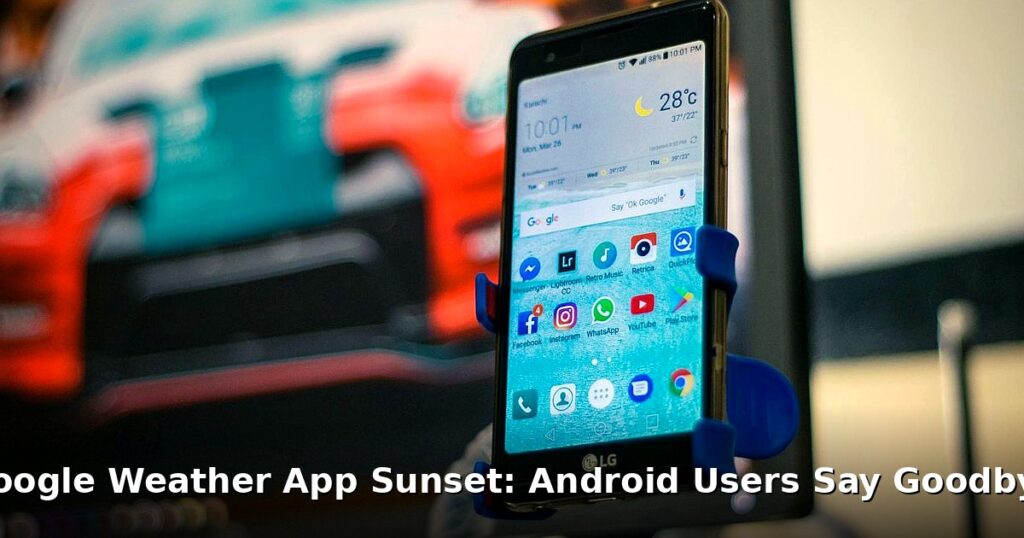

It’s raining. Metaphorically, at least, for fans of the trusty old Google Weather app on Android. The forecast? Retirement. Yes, Google is pulling the plug, and while some might shrug, others (like me, a bit) are feeling a pang of nostalgia for this simple, no-frills weather companion.
The End of an Era: Google Weather App’s Demise
The news came quietly, almost like a gentle breeze. Google officially announced they’re sunsetting the standalone Google Weather app for Android. The reason? Consolidation. Apparently, maintaining a separate app for something already baked into Google Search felt redundant. They want to refocus resources, streamline the experience, and presumably make things easier on their end. I get it. But still… A lot to unpack there.
Think back. The Google Weather app wasn’t always a dedicated app, you know. It started as a humble feature within the Google Search app itself. For years, typing “weather” into Google gave you a neat little forecast card. Eventually, that card became so useful, so popular, that it spun off into its own standalone app. A simple shortcut on your home screen, a quick tap, and boom – you knew whether to grab an umbrella or sunglasses. It was convenient. Reliable. Uncomplicated. And now? It’s headed for the great app graveyard in the cloud. You might also enjoy: New Bixby in One UI 8.5: Is Samsung’s Assistant Finally Good?. You might also enjoy: Elder Scrolls 6: Todd Howard Promises Classic Bethesda RPG Return.
The timeline for this shutdown is, well, Google-ish. They haven’t given an exact date, only a vague “soon.” So, if you’re still clinging to that little weather icon, enjoy it while it lasts. Its days are numbered.
How Will This Affect Android Users?
Okay, so the app’s going away. Big deal, right? Maybe. But let’s think about how this actually impacts the average Android user. First, and most obviously, the app itself will stop working. No more launching it to get your hourly forecast or radar maps. Tapping that icon will likely lead to… nothing. Or maybe a polite error message from Google. Something along those lines.
More importantly, what about the widgets? The weather widget was a huge draw for many users. A quick glance at your home screen, and you had all the essential info: temperature, conditions, maybe even a little animated sun or raincloud. Those widgets will also cease to function. Prepare for a blank space or a broken link where your weather once resided. Not great.
And what about those handy weather shortcuts some Android launchers allowed? The ones that let you swipe or long-press an icon to quickly access the weather? Those, too, will likely disappear. It’s all part of the ripple effect of Google’s decision. Ultimately, it means a slight disruption to your daily routine and a need to find alternative ways to get your weather fix.
The Silver Lining: Alternative Weather Sources
Don’t despair! While the Google Weather app might be kicking the bucket, there are plenty of other ways to stay informed about the elements. The most obvious? Google Search itself. Typing “weather” into the search bar still pulls up a detailed forecast, complete with hourly predictions, radar maps, and all the usual bells and whistles. It’s essentially the same information you got from the app, just accessed in a slightly different way.
If you’re a Pixel owner, you’re probably already familiar with the “At a Glance” widget. This widget, permanently perched at the top of your home screen, displays useful information like calendar appointments and, yes, the current weather conditions. It’s a subtle but effective way to stay informed without having to actively search for the information. A pretty decent option, actually.
Of course, there’s a whole universe of third-party Android weather apps out there. AccuWeather, WeatherBug, The Weather Channel – the list goes on and on. These apps often offer more features than the simple Google Weather app, such as hyperlocal forecasts, severe weather alerts, and customizable widgets. But they also come with their own drawbacks. Many are ad-supported (annoying!), and some require subscriptions for premium features. Plus, let’s be honest, some of them are just plain cluttered and overwhelming.
Widget Woes: Replacing the Google Weather Widget
For many, the biggest loss will be the weather widget. That little rectangle of meteorological information was a staple of Android home screens for years. So, how do you replace it? Fortunately, the Google Play Store is overflowing with alternative weather widgets. The challenge is finding one that’s both functional and aesthetically pleasing.
When choosing a replacement widget, consider what features are most important to you. Do you want a simple temperature display? Or something more detailed with hourly forecasts, radar maps, and air quality information? Customization is also key. Look for widgets that allow you to change the size, color, and transparency to match your home screen theme. Some widgets even offer different icon sets and font options.
Some popular Android weather widget options include: Overdrop, Today Weather, and Weather & Clock Widget. Read user reviews before you download, though. What looks good in a screenshot might be buggy or resource-intensive in reality. It’s all about finding the right balance of features, customization, and performance. Just something to think about.
Looking Ahead: The Future of Weather on Android
So, what does the future hold for weather on Android? Will Google simply leave it as a feature within Search, or will they integrate it more deeply into other services? It’s possible we’ll see weather information surface in Google Assistant or even Google Maps. Imagine asking your Assistant, “Hey Google, what’s the weather like on my commute?” and getting a personalized forecast tailored to your route.
Perhaps Google will also improve the weather experience within Google Search itself. Maybe they’ll add more interactive elements, like the ability to visualize weather patterns over time, or integrate user-submitted weather reports. Who knows? One can hope. The Google Weather app‘s demise could be an opportunity for Google to rethink how they deliver weather information and create a more and engaging experience. Or they might just leave it as is. It’s Google, after all. You never really know what they’re gonna do.
Frequently Asked Questions
Why is the Google Weather app being discontinued?
Here’s the thing — Google is focusing its resources on other areas and consolidating features into existing services like Google Search. They aim to streamline the user experience by integrating weather information directly into search results and other relevant platforms.
What will happen to my Google Weather widget?
The Google Weather widget will stop functioning when the app is officially retired. You will need to find an alternative weather widget from the Play Store or rely on weather information within Google Search or the ‘At a Glance’ widget on Pixel devices.
Will I still be able to check the weather on my Android phone?
Absolutely! The Google Weather app is just one way to get weather updates. You can still use Google Search, the Pixel’s ‘At a Glance’ widget, or download a third-party Android weather app from the Google Play Store.