
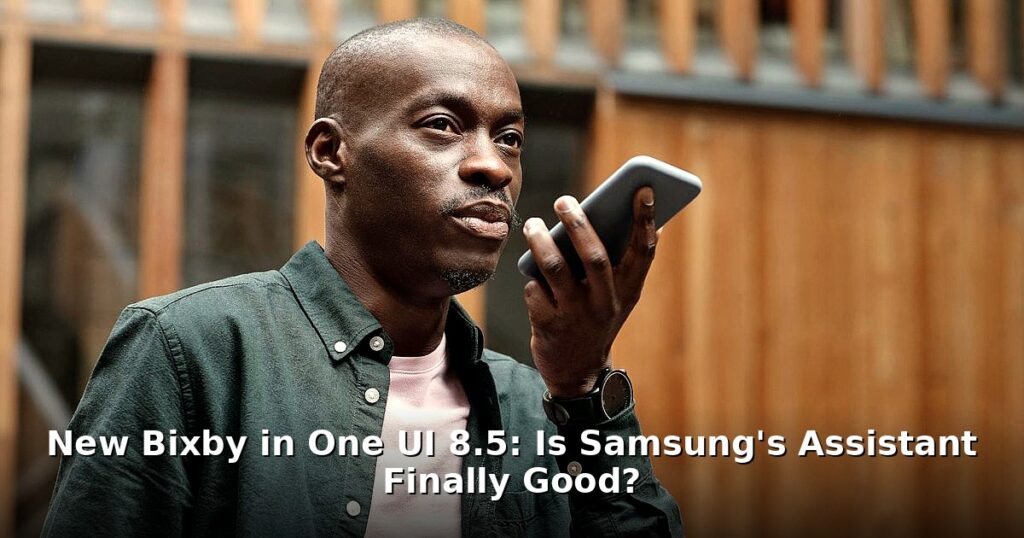

Okay, let’s be honest: Bixby’s had a bit of a rough start. When it first launched, it felt… incomplete. Clunky, even. But Samsung’s not giving up, and the new One UI 8.5 update brings a revamped Bixby experience. So, is it finally time to give Samsung’s voice assistant another shot? It’s a fair question, especially with Google Assistant and Siri already deeply entrenched in our digital lives. The Bixby One UI 8.5 update promises significant improvements, but does it deliver?
What’s New with Bixby in One UI 8.5?
One UI 8.5 isn’t just about Bixby, of course. This new One UI update brings a host of improvements to the overall Samsung experience. But Bixby is definitely a major focus. Samsung’s throwing a lot of weight behind its assistant, aiming to make it a more intuitive and useful part of your daily life. What’s actually new, though? Pretty wild, right?
First up: improved natural language processing. What does that even mean? Basically, Bixby should understand you better. Instead of needing to phrase commands in a very specific way, you can talk more naturally, like you would to another person. The goal is for Bixby to parse your intent, even if your sentence structure isn’t perfect. Think of it like teaching a dog a new trick: in the past you needed to use very specific commands, now you can be a little more conversational. You might also enjoy: Elder Scrolls 6: Todd Howard Promises Classic Bethesda RPG Return. You might also enjoy: Chrome Home Icon Changed: What Android Users Need To Know.
Enhanced device control is another biggie. Samsung wants Bixby to be your central hub for managing your smart home and other connected devices. Want to dim the lights, turn on the TV, and set the thermostat all at once? That’s the idea. You should be able to do it with a single, natural voice command.
And visually? Bixby’s interface has been tweaked for a cleaner, more modern look. It’s not a radical redesign, but it’s definitely more polished and user-friendly. The information is presented more clearly, and interacting with Bixby feels less like talking to a robot and more like interacting with a helpful (if slightly quirky) assistant. There are new animations too, which add a little visual flair.

Under the Hood: Bixby’s Technical Improvements
It’s not all just surface-level changes. Samsung’s been working hard on the underlying technology that powers Bixby. The Samsung assistant relies heavily on AI and machine learning, and these areas have seen significant advancements. Samsung’s invested heavily in improving Bixby’s brainpower.
Voice recognition accuracy has reportedly been boosted. This means fewer misinterpretations and fewer frustrating “I didn’t understand that” responses. It should also be faster, so you don’t have to wait as long for Bixby to process your commands. Anyone who’s used a voice assistant knows how annoying it’s to repeat yourself constantly. These Bixby improvements are really welcome.
But the real magic happens with complex requests and contextual understanding. Bixby is now designed to handle more intricate commands that involve multiple steps or require understanding the context of the conversation. For example, you could say, “Remind me to buy milk tomorrow morning if it’s going to rain.” Bixby should be able to parse that entire request, understand the conditions, and set the reminder accordingly. It’s not just about simple on/off commands anymore. Not ideal.
Fair warning: What about privacy? That’s always a concern with voice assistants. Samsung says they’ve taken steps to enhance the privacy and security of Bixby. They’ve implemented stricter data encryption and anonymization techniques. You also have more control over your data, with options to review and delete your voice recordings. Still, it’s crucial to read the fine print and understand how your data is being used.
Bixby vs. The Competition: How Does It Stack Up?
Alright, let’s get down to brass tacks. How does Bixby, even with these improvements, compare to the heavyweights like Google Assistant and Siri? It’s a tough battle. Google Assistant has the advantage of Google’s vast knowledge graph and its integration with Android. Siri benefits from Apple’s tight control over its hardware and software ecosystem. Where does Bixby fit in?
In terms of smart home control, Bixby is definitely catching up. It supports smart devices, and its integration with Samsung’s SmartThings platform is pretty solid. But Google Assistant still has a broader reach, thanks to its support for a larger number of devices and services. Information retrieval is another key area. Google Assistant excels at answering questions and providing information from the web. Bixby is improving, but it still relies more on pre-programmed responses and integrations with specific apps. It can feel less conversational than Google Assistant in these scenarios.
One area where Bixby has a clear advantage is its integration with Samsung’s ecosystem. If you’re heavily invested in Samsung devices, Bixby can offer a more experience. It can control your Samsung TV, refrigerator, washing machine, and other appliances with ease. The deep integration with Samsung apps like Samsung Health and Samsung Notes is also a plus. But if you’re not all-in on Samsung, this advantage is minimized.
Let’s be honest, there are still areas where Bixby lags behind. Its natural language processing isn’t quite as sophisticated as Google Assistant’s, and its voice recognition accuracy can still be a bit hit-or-miss, especially in noisy environments. And while the UI has been improved, it still doesn’t feel quite as intuitive or polished as Siri. These are the kinds of nuanced differences that users notice.
Real-World Use Cases: How Bixby Can Simplify Your Life
So, what can Bixby actually do for you? Beyond the basics of setting timers and playing music, Bixby can be used to automate tasks and control your devices in some pretty clever ways. Let’s look at some examples.
Bixby Routines are a powerful feature that allows you to automate tasks based on specific triggers. For example, you can create a routine that automatically turns on don’t Disturb mode when you connect to your home Wi-Fi network. Or you can set up a routine that reads your notifications aloud when you get in your car. These routines can save you time and effort by automating repetitive tasks. It’s like having a personal assistant that anticipates your needs.
Bixby also integrates well with other Samsung apps and services. You can use Bixby to create a note in Samsung Notes, start a workout in Samsung Health, or send a message in Samsung Messages. This tight integration makes it easy to perform tasks without having to switch between apps constantly. For example, you could say, “Bixby, create a note to buy groceries,” and Bixby will automatically open Samsung Notes and start a new note with that title.
Despite the potential, users might still encounter some limitations or frustrations. Bixby sometimes struggles with accents or dialects. Its response time can be slow at times, especially when it’s processing complex requests. And its integration with third-party apps is still limited compared to Google Assistant and Siri. These are the kinds of issues that can make Bixby feel less reliable and less useful than its competitors. Not ideal.
Is Bixby Finally Worth Using?
So, the million-dollar question: is the new Bixby worth using? The Bixby One UI 8.5 update definitely brings some significant improvements. The enhanced natural language processing, improved voice recognition, and deeper integration with Samsung’s ecosystem are all steps in the right direction. And those Samsung features, when they work well, can be pretty slick.
But let’s be realistic. Bixby still has its weaknesses. It’s not quite as polished or as versatile as Google Assistant or Siri. Its reliance on Samsung’s ecosystem can be both a strength and a weakness, depending on your preferences. And its voice recognition accuracy can still be a bit inconsistent. It’s not perfect.
Ultimately, whether or not you should give Bixby another chance depends on your individual needs and preferences. If you’re a die-hard Samsung user who’s looking for a way to control your devices and automate tasks, Bixby is definitely worth checking out. But if you’re already happy with Google Assistant or Siri, and you don’t have a strong loyalty to Samsung, there might not be enough compelling reasons to switch. It’s a question of weighing the pros and cons and seeing if Bixby fits into your workflow.
What’s the future hold? It’s clear that Samsung is committed to Bixby. They’re continuing to invest in its development and improve its capabilities. And as AI and machine learning continue to evolve, Bixby has the potential to become a truly powerful and intelligent assistant. Maybe. But it still has a ways to go before it can truly compete with the best in the business. Keep an eye on this space – Bixby might just surprise you.
Frequently Asked Questions
Q: What devices will receive the One UI 8.5 update with the new Bixby?
Fair warning: A: The One UI 8.5 update will be rolled out to select Samsung Galaxy devices, starting with the newest flagship phones and tablets. The exact timing and availability will vary depending on the model and region.
Q: How do I update to One UI 8.5 to get the latest version of Bixby?
A: You can check for the update in your device settings by going to Software Update and tapping “Download and Install.” Make sure your device is connected to Wi-Fi and has sufficient battery life before starting the update. No joke.
Q: Is Bixby a privacy risk?
A: Like any voice assistant, Bixby collects voice data to improve its services. Samsung provides options to control data collection and usage in the Bixby settings, allowing users to manage their privacy preferences.