
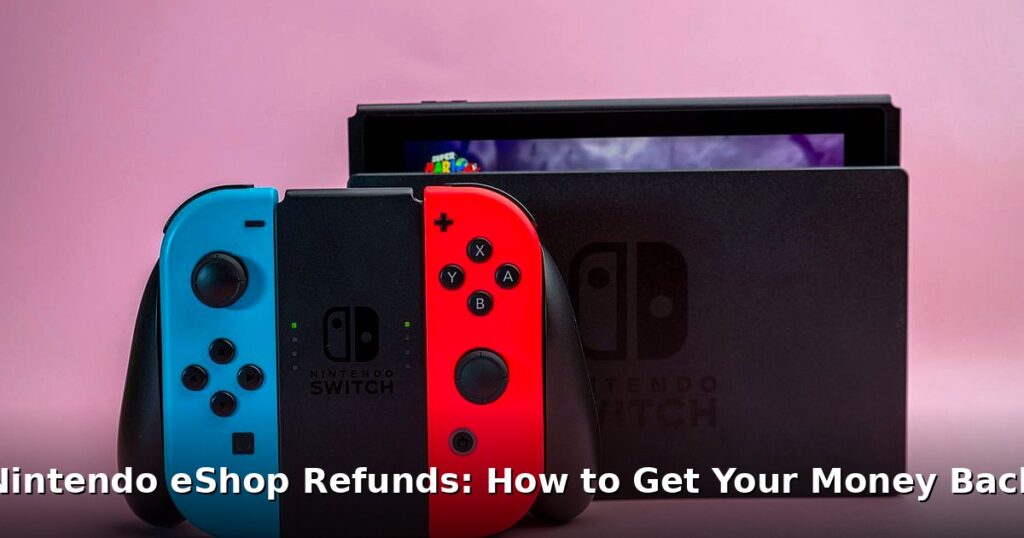

We’ve all been there. You’re scrolling through the Nintendo eShop refunds, lured in by a shiny new game trailer, and BAM! You accidentally buy something. Or maybe you discover the game you just purchased is riddled with bugs. What now? Can you get your money back? That’s the million-dollar question (or, more accurately, the $59.99 question). Let’s break down the somewhat murky world of getting your money back from Nintendo.
Table of Contents
Understanding the Nintendo eShop Refund Policy
Let’s be honest: Nintendo’s official stance on giving back your hard-earned cash for digital games is… well, it’s not exactly consumer-friendly. The official line is typically “all sales are final.” Ouch.
They don’t exactly advertise refunds. But don’t despair! Refunds aren’t entirely impossible. They exist! Think of it like finding a rare Pokémon – difficult, but not out of the question. Nintendo can make exceptions, but you need to understand their perspective. Just something to think about. Check out our guide on Xbox Mistreatment? Ex-Bethesda Exec Sounds Off on Damage. We covered this in Mario Kart World Tour Update: Version 1.6.1 Patch Notes!.
There’s a distinction to be made between pre-orders and games you’ve already purchased. Canceling a pre-order is usually a straightforward process. You can typically find a cancellation option in your eShop purchase history. Purchased games? That’s where things get tricky.
And keep in mind that regional policies can also impact refund availability. What works in Europe might not fly in North America, and vice versa. For example, European consumer protection laws often provide stronger rights regarding digital purchases. Check your local laws!
Steps to Request a Refund from Nintendo Support
Alright, so you’ve decided to throw your hat in the ring and request a refund. Here’s how to Nintendo support maze.
First, find the right contact information. Head to Nintendo’s official website and look for their support section. Make sure you’re contacting the support team for your specific region. A US-based team won’t be much help if you’re in the UK. Not ideal.
Next, gather your account details. You’ll need your Nintendo Account information, the specific game you’re requesting a refund for, and the date of purchase. Locate your eShop purchase history – this is crucial.
Now, for the art of persuasion. Craft a polite but firm refund request. Explain your situation clearly and concisely. Avoid being aggressive or demanding – that rarely works. Treat them like human beings. Because they’re.
I’ll be honest — Clearly state why you want a refund. Was it an accidental purchase? Are there significant technical issues that make the game unplayable? Is the game wildly different from what was advertised? Be specific and provide evidence if possible. For example, if a game is crashing constantly, mention the error codes you’re seeing.
Crafting a Compelling Refund Request: An Example
Instead of saying “This game sucks, give me my money back!”, try something like this:
“Dear Nintendo Support, I’m writing to request a refund for [Game Title], which I purchased on [Date] through the Nintendo eShop. Unfortunately, I’ve encountered significant technical issues that prevent me from playing the game. Specifically, [Describe the problem, e.g., the game crashes every 10 minutes with error code XYZ]. I’ve tried [Troubleshooting steps you’ve taken]. I’d greatly appreciate it if you would consider my request for a refund. Thank you for your time and consideration.”
What Factors Increase Your Chances of Getting a Nintendo eShop Refund?
Timing is everything. Requesting a refund soon after the purchase significantly increases your chances. The longer you wait, the less likely they’re to grant it. Makes sense, right?
If you can demonstrate significant technical issues or game-breaking bugs, you have a stronger case. Screenshots or videos of the problem can be very helpful. Visual proof is powerful.
I’ll be honest — Nintendo is more likely to help you if you have a history of responsible eShop purchases. If you’re constantly requesting refunds, they might flag your account. Don’t abuse the system!
And I can’t stress this enough: communicate clearly and respectfully. Being polite and understanding goes a long way. Customer support staff are people too, and they’re more likely to help someone who’s not being a jerk. Pretty wild, right?
Troubleshooting Common eShop Purchase Problems
Sometimes, the issue isn’t the game itself, but a problem with the purchase or download process. What then?
Encountering incorrect game downloads? Double-check your internet connection and ensure you have enough storage space on your Switch. You might need to archive or delete other games to make room.
Dealing with payment errors or authorization failures can be frustrating. Make sure your payment information is up-to-date and that your bank isn’t blocking the transaction. Sometimes, simply trying again later works.
Problems with game updates or DLC? Restart your Switch and check for updates in the eShop. Corrupted data can also cause issues, so try re-downloading the update or DLC.
If you’ve tried everything and nothing seems to work, don’t hesitate to contact Nintendo support for technical assistance. They might have specific solutions for your problem.
Look, But seriously, their online troubleshooting guides are actually pretty good. I’ve used them a few times.
Alternative Solutions if a Refund Isn’t Possible
So, you’ve exhausted all options, and Nintendo has said no to your refund request. Don’t give up all hope.
If you have physical games you no longer play, consider trading them in at a game store to offset the cost of the unwanted digital game. It’s not a perfect solution, but it’s better than nothing.
Selling unwanted digital game codes might be an option, but be careful. Selling digital codes can be tricky, and it might violate Nintendo’s terms of service. Proceed with caution and only use reputable platforms.
As a last resort, you could contact your bank or credit card company and request a chargeback. That said, be warned: this is a nuclear option. Nintendo might ban your account if you do this. Only use a chargeback if you genuinely believe you were defrauded.
Ultimately, the best course of action is to learn from the experience. Be more careful with future purchases. Read reviews, watch gameplay videos, and make sure the game is something you really want before hitting that “buy” button. Think of it as a learning opportunity. A costly one, perhaps. But a learning opportunity nonetheless. No joke.
Frequently Asked Questions
Q: Can I get a refund on a digital game purchased through the Nintendo eShop?
A: Officially, Nintendo doesn’t offer refunds for digital gam. Then againer, you can contact customer support, explain your situation, and see if they’ll make an exception.
Q: what’s Nintendo’s refund policy on digital games?
A: Nintendo’s official policy states that all sales are final for digital games purchased on the eShop. Despite this, they sometimes grant refunds on a case-by-case basis if you have a good reason.
Q: How long does it take to get a refund from Nintendo?
A: If Nintendo approves your refund request, it can take anywhere from a few days to a couple of weeks for the refund to appear in your account. The exact time frame depends on your payment method and bank.
Q: What reasons might qualify for a Nintendo eShop refund?
A: Accidental purchases, technical issues preventing you from playing the game, or a game being significantly different from its description could potentially qualify you for a refund, but approval isn’t guaranteed.
Q: Can I cancel a pre-order on the Nintendo eShop?
A: Yes, you can usually cancel a pre-order on the Nintendo eShop before the game is released. Check your purchase history to find the pre-order and see if a cancellation option is available.
Getting a Nintendo eShop refunds isn’t easy, but it’s not impossible. Being informed, proactive, and polite can significantly increase your chances. And hey, maybe one day Nintendo will adopt a more consumer-friendly refund policy. Until then, happy gaming (and careful shopping!). Check out the FTC’s website for more information on consumer rights here.